|
Outlook 2003 Email Setup |
E-Mail Setup Instructions for Microsoft
Outlook 2003
The following instructions cover typical
usage of Outlook 2003 and assume the software has been installed correctly on
your system
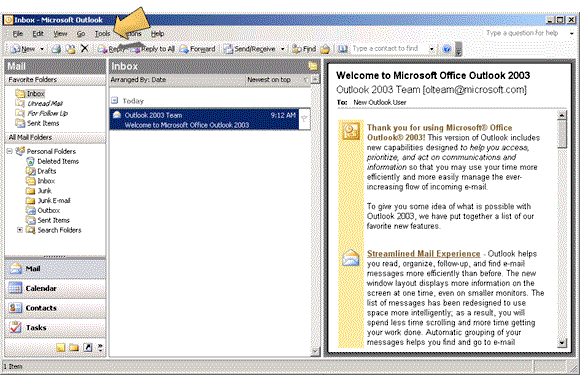
1. Open Outlook 2003 and click on the
"Tools" drop down menu. Other versions of Outlook are very similar,
click here for the official
Microsoft help guide.
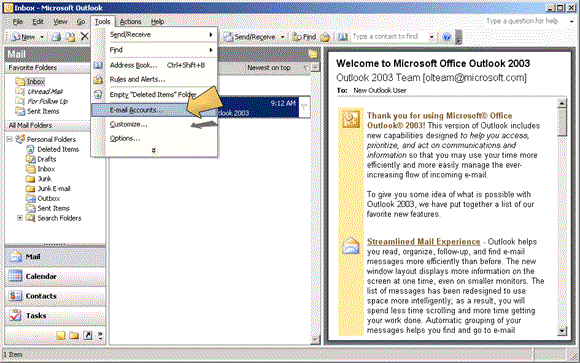
2. Click on "E-mail Accounts".
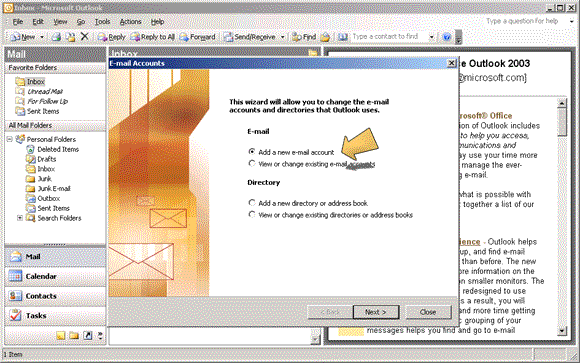
3. Check the "Add a new e-mail
account" radio button and click "Next >".
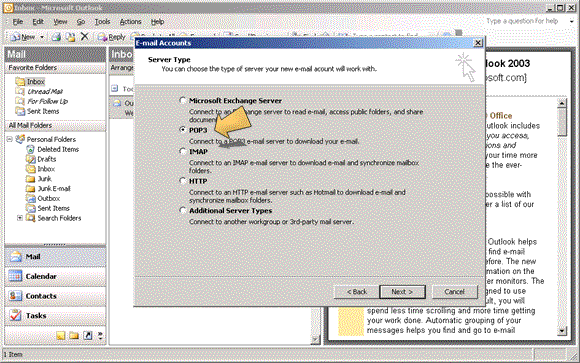
4. Check the "POP3" radio button
and click "Next >".
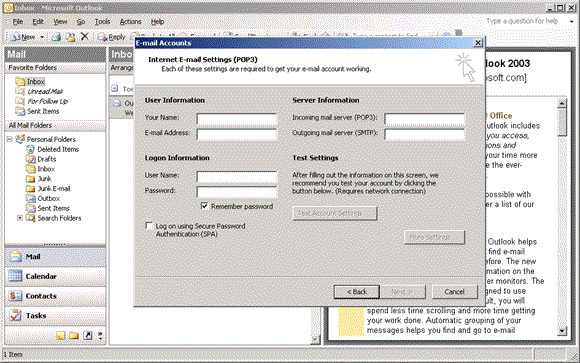
5. Enter the configuration details for
this account. Make sure "Secure
Password Authentication (SPA)" is unchecked.
|
User Information
|
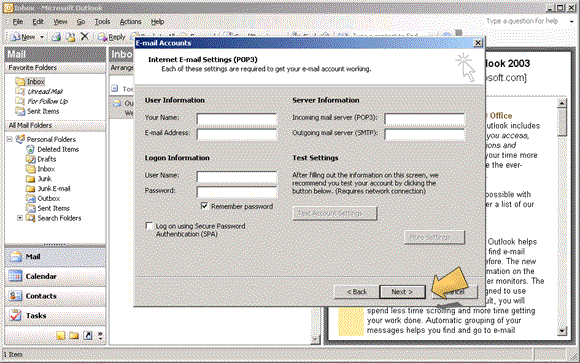
5. Click the "Next >"
button.
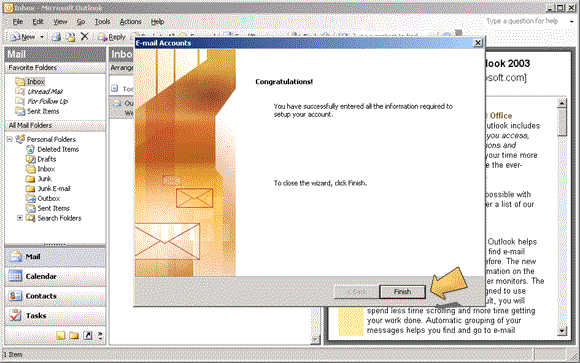
6. Click the "Finish" button to
close the wizard.